Every visitor signed in. Every desk booked. Everyone accounted for.
QFusion Workplace combines visitor management and hot desk booking on one UAE cloud platform — self-service sign-in kiosks with instant badge printing, desk booking on interactive floor plans, and a live evacuation register that knows who is in the building.
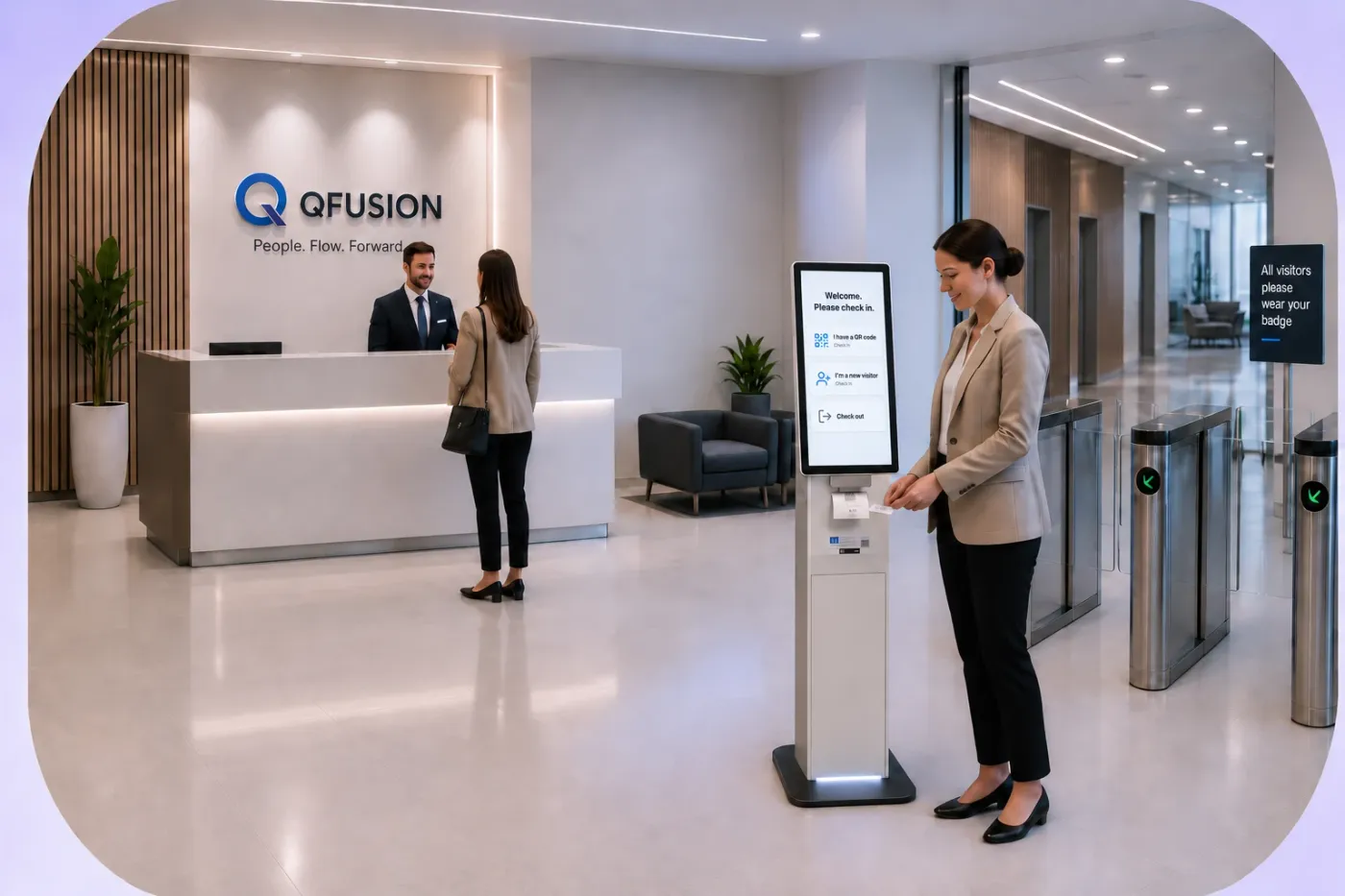
The front door and the floor plan, finally talking to each other.
A reception that runs itself — in two languages
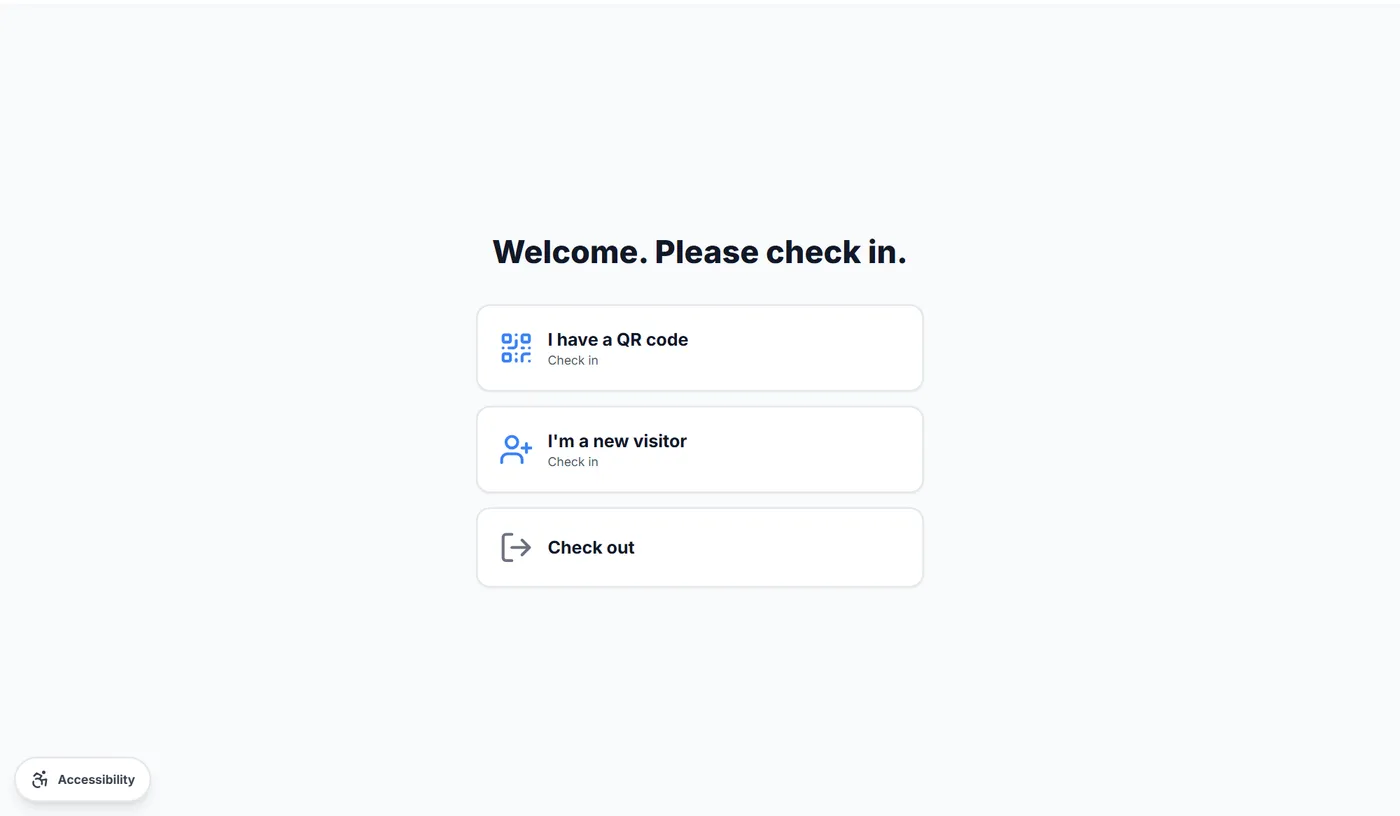
Visitors check themselves in at the kiosk in seconds: pre-registered guests scan the QR code from their invitation email, walk-ins register on screen, and everyone sees the right health & safety induction for their visitor type before the badge prints.
- QR fast-track for pre-registered visitors and contractors
- Compulsory inductions that vary by visitor category, acceptance recorded
- Optional visitor photo — printed on the badge and shown on the evacuation report
- Full journey in Arabic and English, plus a built-in Accessibility Mode
- Hosts notified instantly by email and Microsoft Teams
Book a desk from the floor plan, not a spreadsheet
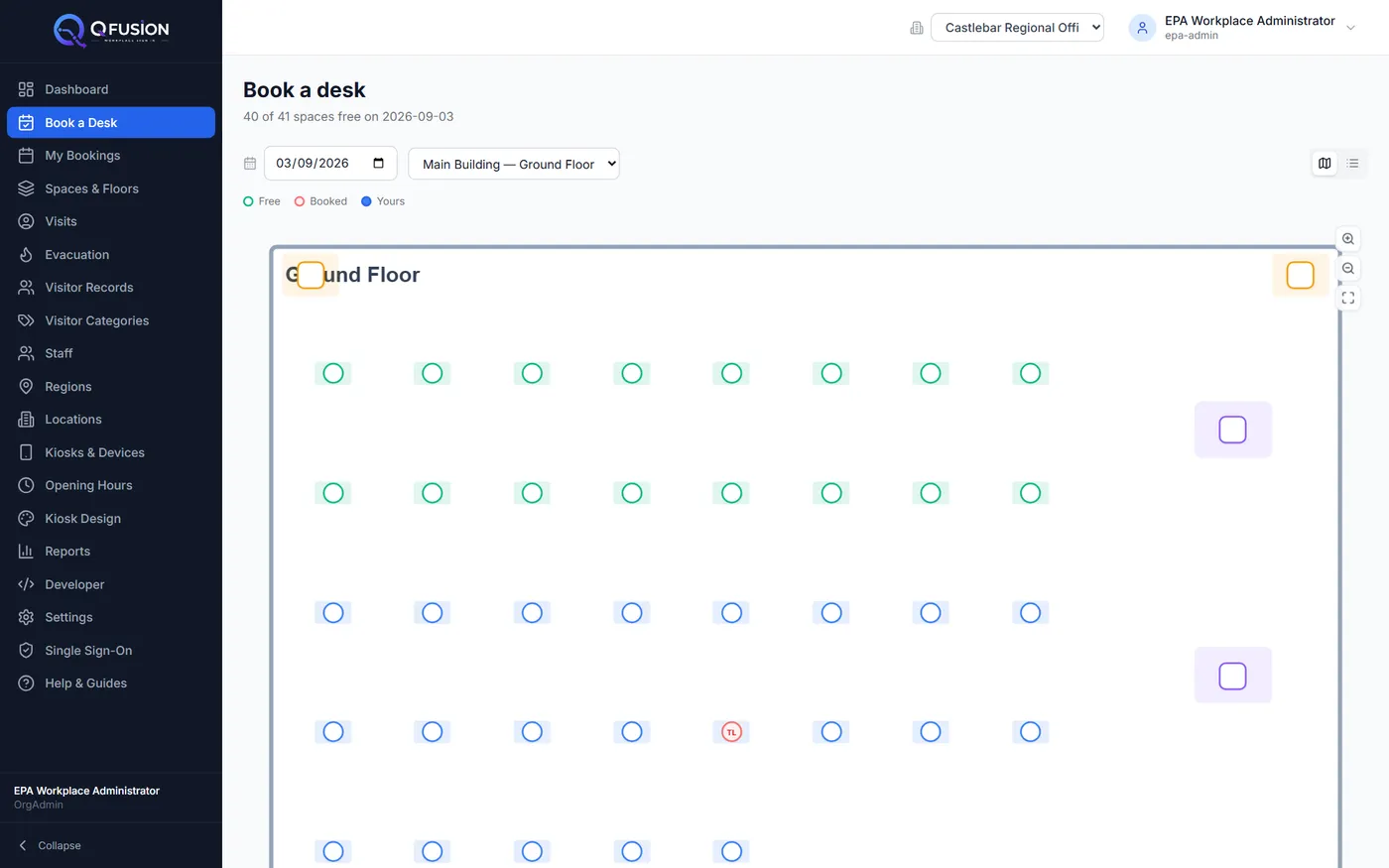
Staff sign in with their Microsoft work account and tap a desk on a live floor plan — colour-coded availability, once-off or weekly bookings, and booking rules per zone. Desks left unclaimed release themselves automatically, so no-shows never block a colleague.
- Interactive pan-and-zoom floor plans with live availability
- Once-off or repeat-weekly bookings with an end date
- Zone rules: booking windows, time limits, restricted team areas
- Automatic no-show release — unclaimed desks return to the pool
- Bookings appear in Outlook and Teams calendars
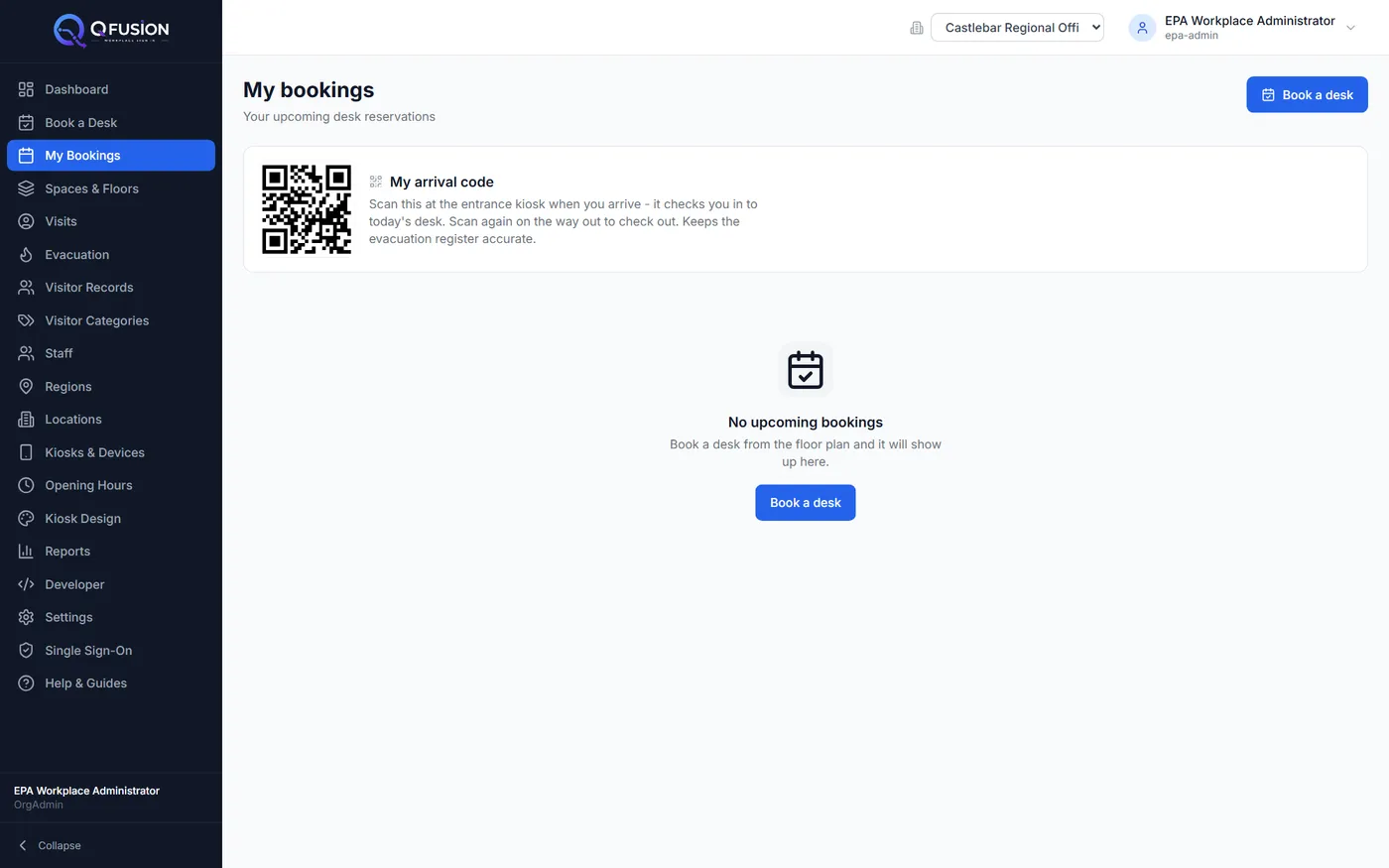
One scan at the door: checked in, counted in
Each staff member gets a personal arrival code on their phone. Scan it at the entrance kiosk when you arrive — your desk booking is checked in and you're on the fire register. Scan again on the way out. No apps to install, nothing to remember.
- Personal QR in every staff member's bookings page
- Same kiosk handles visitors and staff
- Feeds the live fire evacuation register automatically
- Optional per location — switch it on where it suits
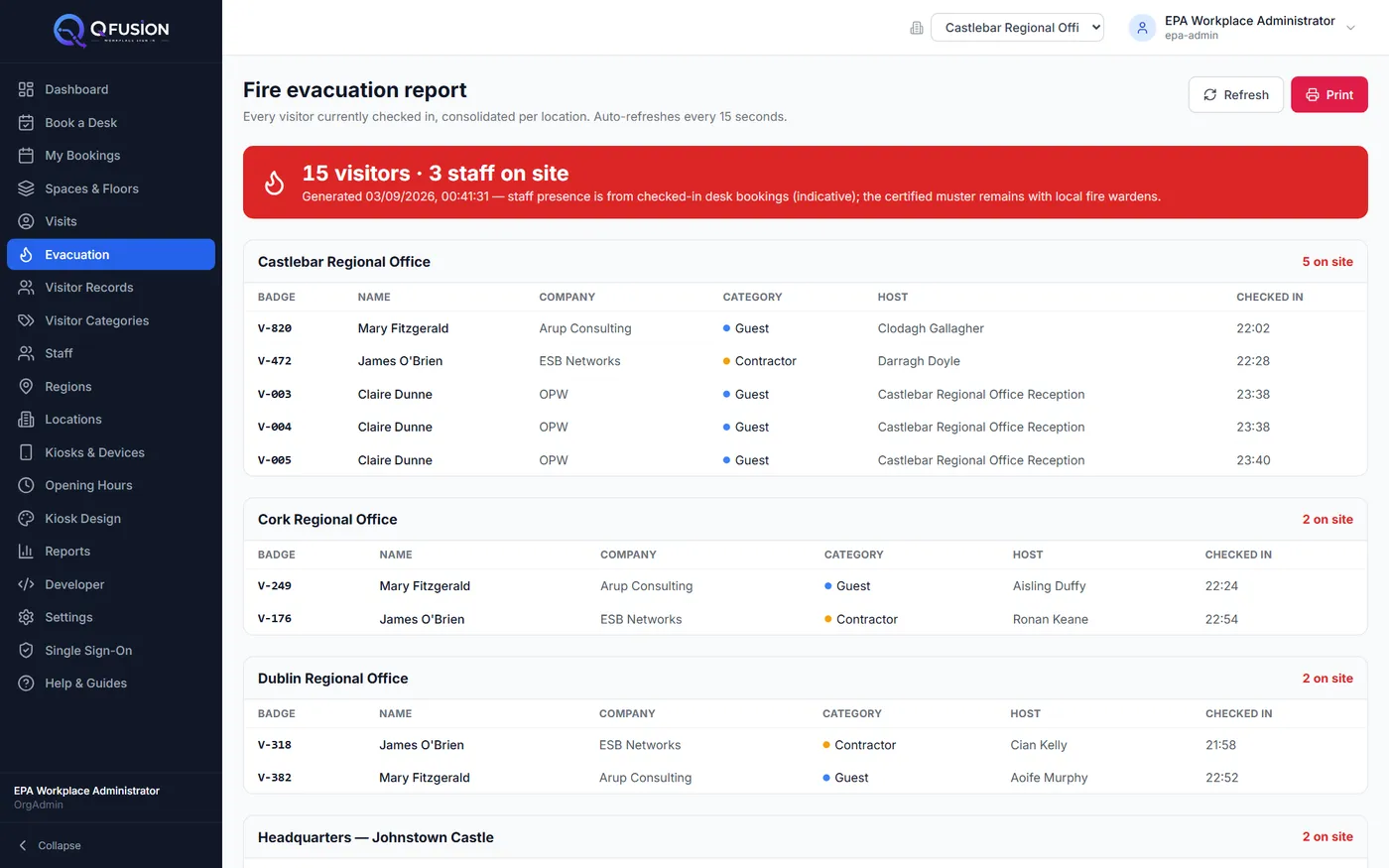
The question hot-desking broke: who's in the building?
One live report lists every visitor on site at every location — and every staff member with a checked-in desk. It refreshes every 15 seconds, works on a phone at the assembly point, and prints in one tap. Hot-desking normally destroys the fire register; QFusion Workplace gives it back.
- All visitors, all locations, one consolidated report
- Staff presence from checked-in desk bookings
- Auto-refreshing, phone-friendly, printable
- Visitor photos shown for faster identification
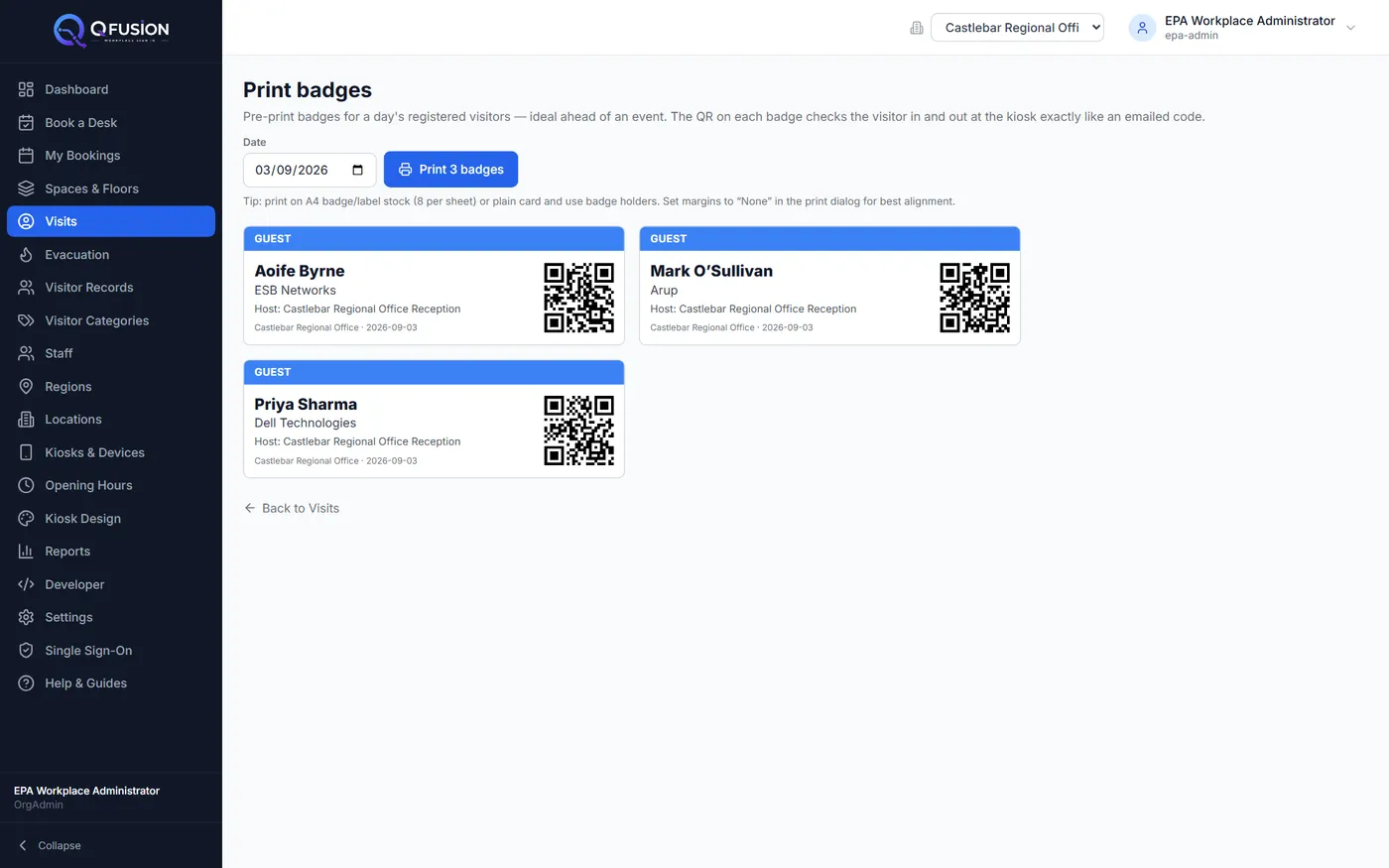
Badges that print themselves — one or one hundred
Every check-in prints a professional badge on the kiosk's built-in label printer: name, visitor category, host and a check-out QR — no ink, no ribbons, no third-party printer to babysit. Expecting an event? Pre-print the whole day's badges on any office printer.
- Instant direct-thermal printing at the kiosk — zero consumables beyond the roll
- Category colour-coding and check-out QR on every badge
- Bulk badge sheets for events, ready before guests arrive
- Optional visitor photo printed on the badge
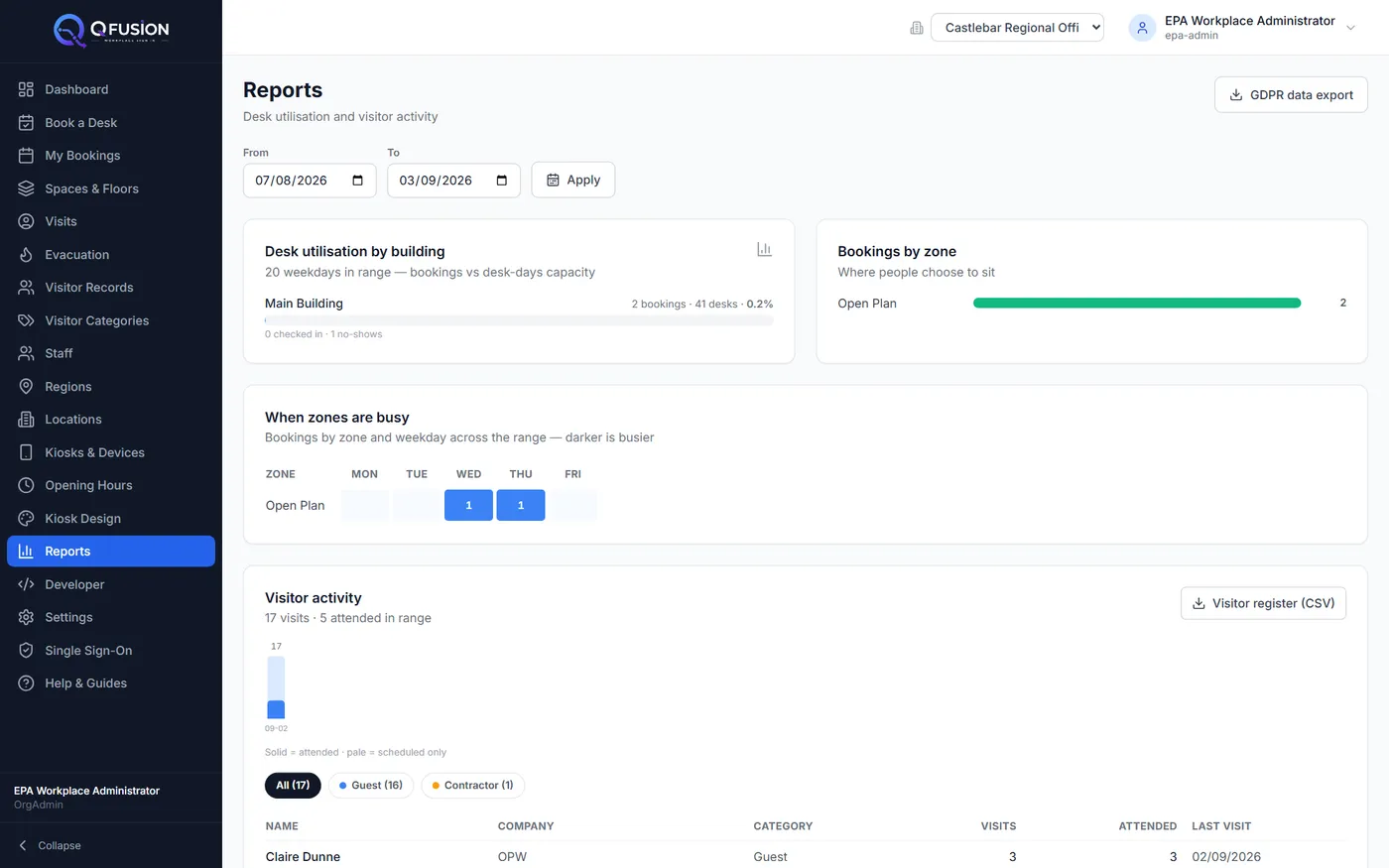
Numbers your facilities team will actually use
See desk utilisation by building and zone, a heatmap of which zones are busy on which weekdays, and visitor activity over any date range — with a one-click CSV visitor register for audits. It's the evidence base for right-sizing your estate.
- Desk utilisation by building and zone, any date range
- Zone-by-weekday heatmap of demand
- Visitor and contractor attendance reporting
- One-click CSV visitor register export
Your IT team connects it themselves.
No professional-services invoice to get started. Everything an administrator needs is self-service — and nothing is ever written to your directory.
Connect your Entra ID tenant from the admin console in minutes. Staff sign in with their work accounts; access follows your security groups.
Paste a desk list and the CSV wizard creates buildings, floors, zones and desks — with a preview before anything is written.
Set a retention period per visitor category. Expired visit records are anonymised and photos deleted automatically.
Kiosks are supplied, configured and updated remotely by us — spares held regionally, repaired not replaced.
Designed for every visitor
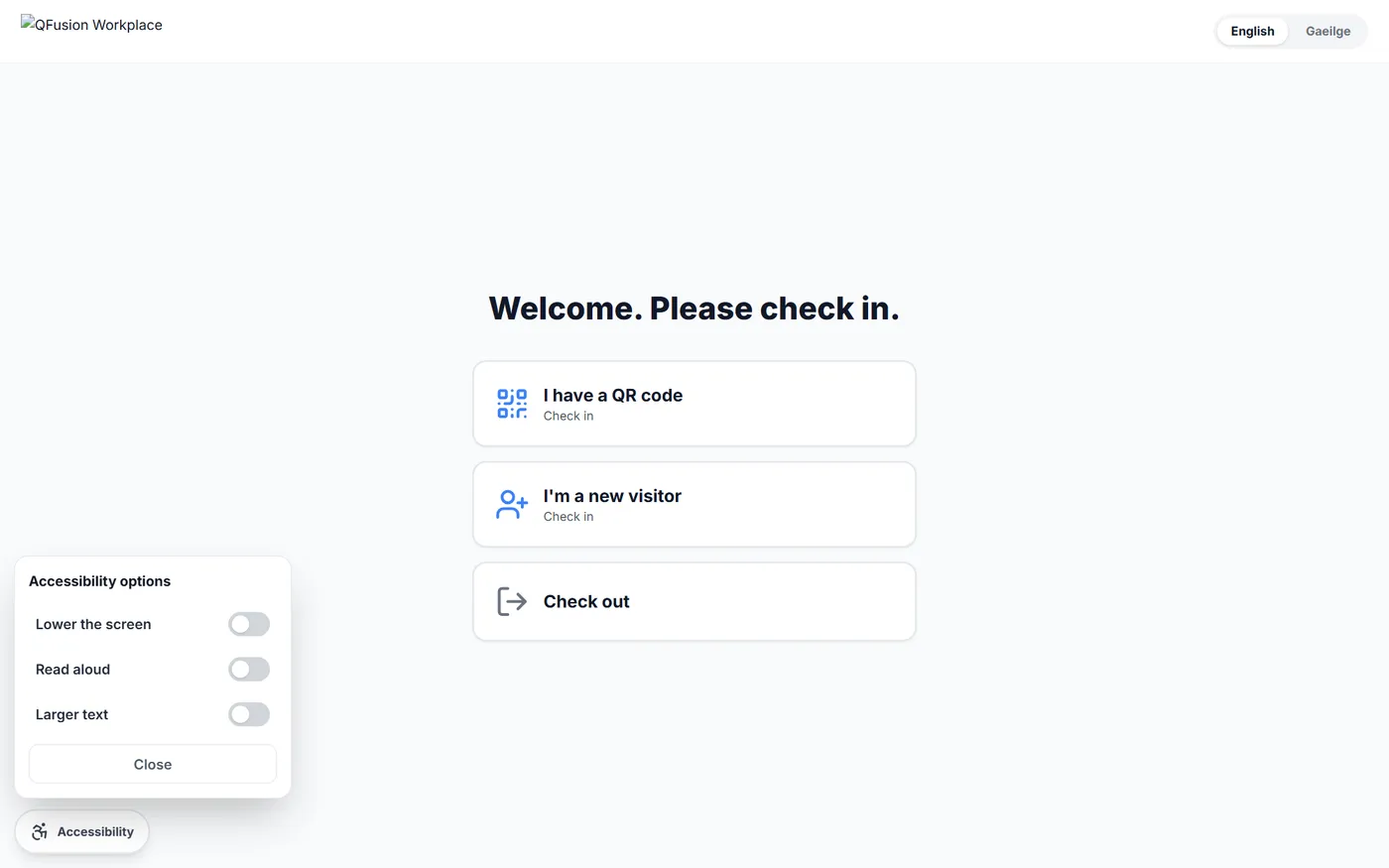
A dedicated Accessibility Mode is one tap away on every kiosk: lower the whole screen into reach from a wheelchair, have instructions read aloud in Arabic or English, or enlarge the text — resetting automatically for the next visitor. Built to WCAG 2.2 AA patterns throughout.
- Lower-the-screen reach mode for seated visitors
- Read-aloud in Arabic and English
- Larger text on demand
- Keyboard, contrast and reduced-motion support across the product
Built for the UAE, end to end.
Screen, label printer, scanner and camera in one supported unit — no third-party hardware to integrate or blame.
We own 100% of the software. Your fee buys service, not pass-through licences.
UAE presence, GCC support hours, and the team that built the product doing the implementation.
Queue management, visitor management and desk booking share one platform — grow without another procurement.
See your own reception running on it.
A live demonstration environment is already running — kiosks, badges, floor plans and all. Book a demo and we'll walk your building through it.